
Linking Devices
With the sensor calibrated, every device that now appears in the list belongs to the workstation in front of you. Pick the ones that identify it reliably and pair them with the digital workstation in your partner system.
Link a workstation
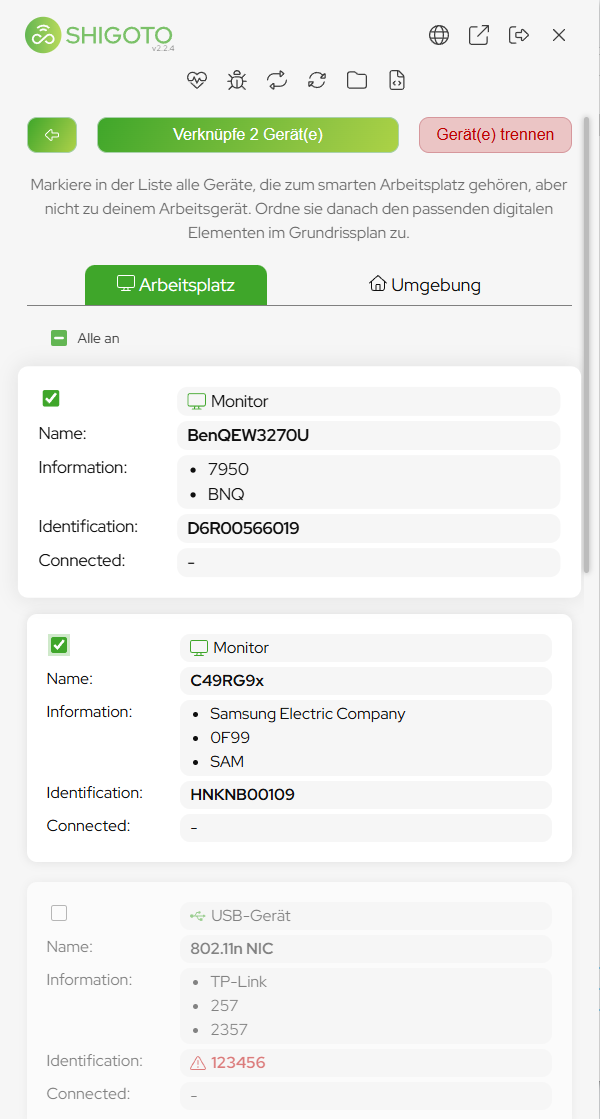
- Connect your notebook to the workstation — dock, hub or cable, exactly as a user would.
- The new devices appear in the list: monitors, USB devices, network interfaces.
- Select the representative devices — the ones that will still be at this workstation tomorrow, and that carry a good serial number.
- Click Pair n device(s).
- A browser window opens with your floor plans.
- Pick your workstation there and confirm the pairing (in the Shigoto portal: CONNECT-LOCATION).
Choosing the right devices
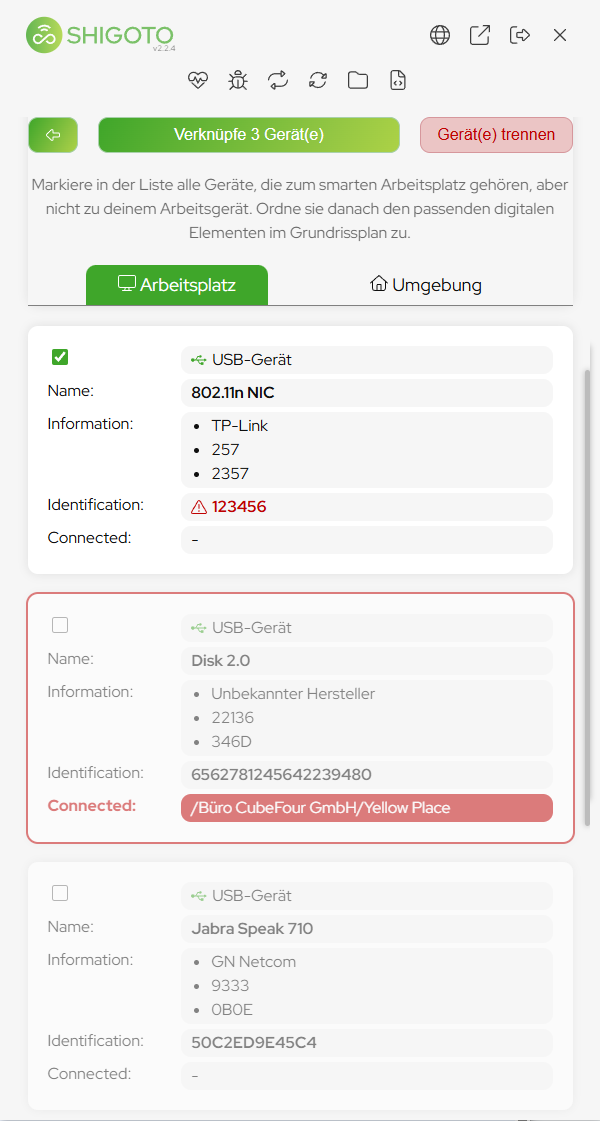
- Monitors first. They stay at the workstation and their serial numbers are the most distinctive of all device types.
- Check the Identification field of each device. A serial number marked with a warning triangle is not distinctive enough to identify a workstation.
- Devices whose serial number is a generic placeholder —
SN0001,123456, a repeated pattern — identify nothing. Leave them unselected.
Few good devices beat many mediocre ones
Two monitors with clean serial numbers identify a workstation better than six devices of which half carry a placeholder serial. Every weak device adds a chance of confusing this workstation with another one.